-
E-mail
13328052090@qq.com
-
Phone
13328055291
-
Address
1388 Chengbei Avenue, Kunshan City
Product Categories
Kunshan Jutian Instrument Equipment Co., Ltd
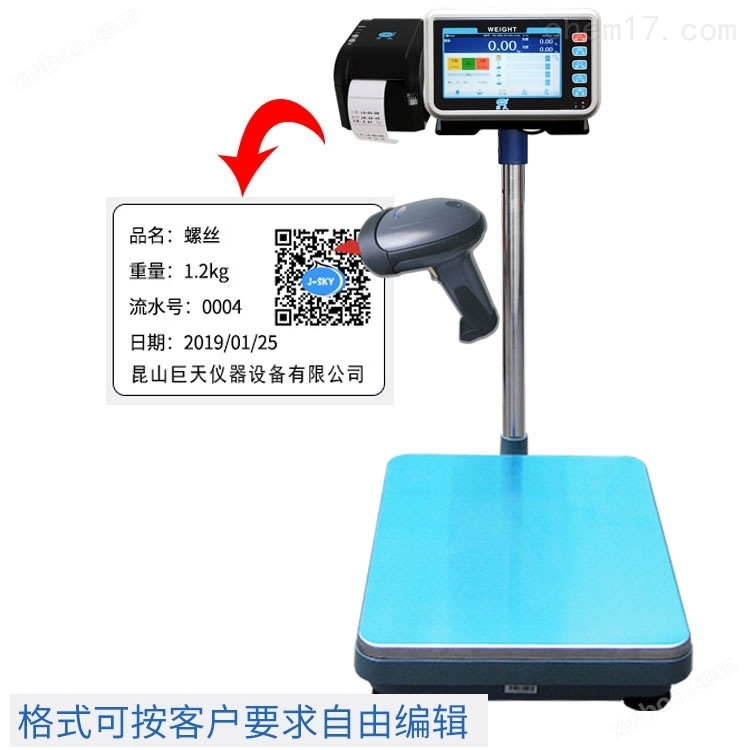
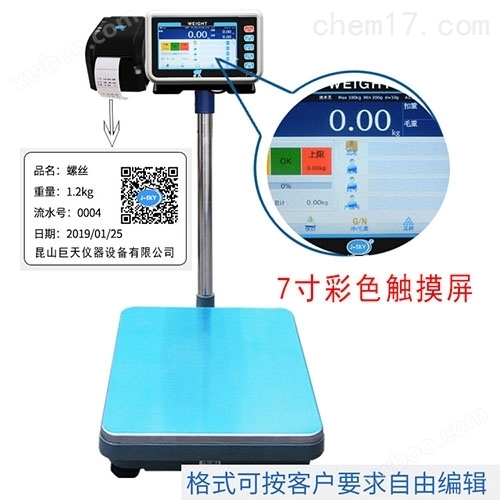
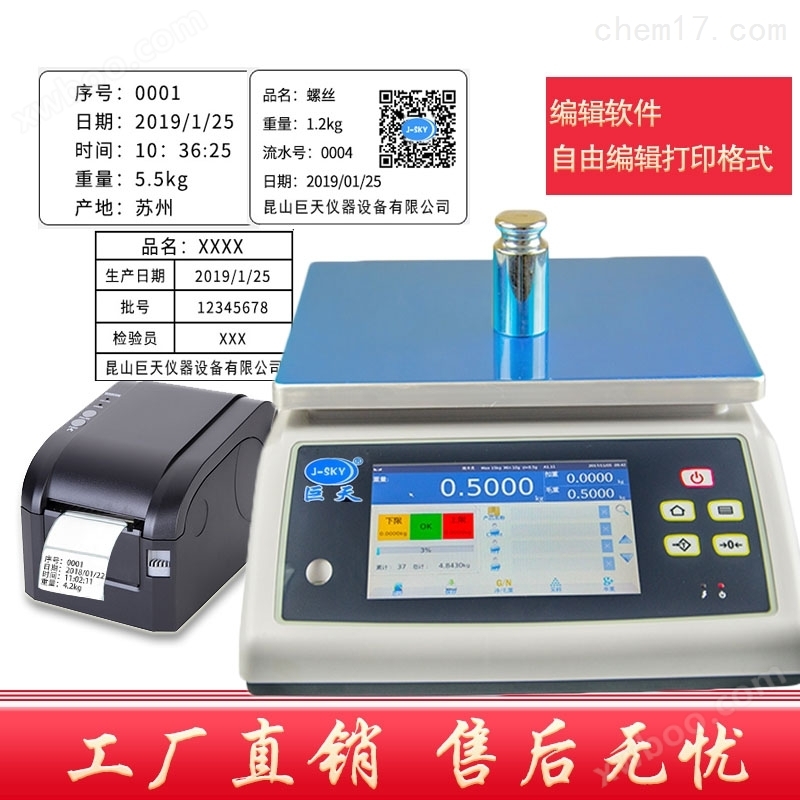
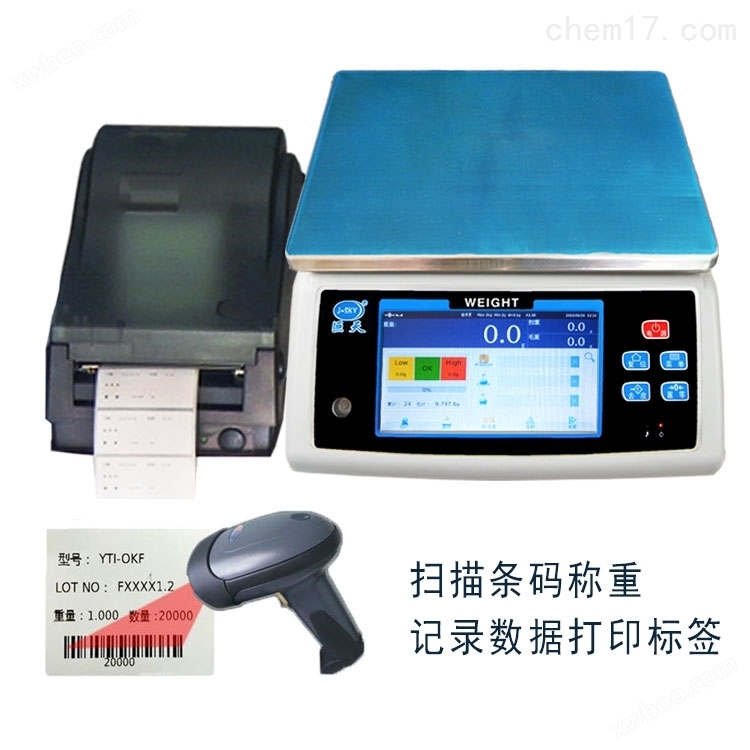
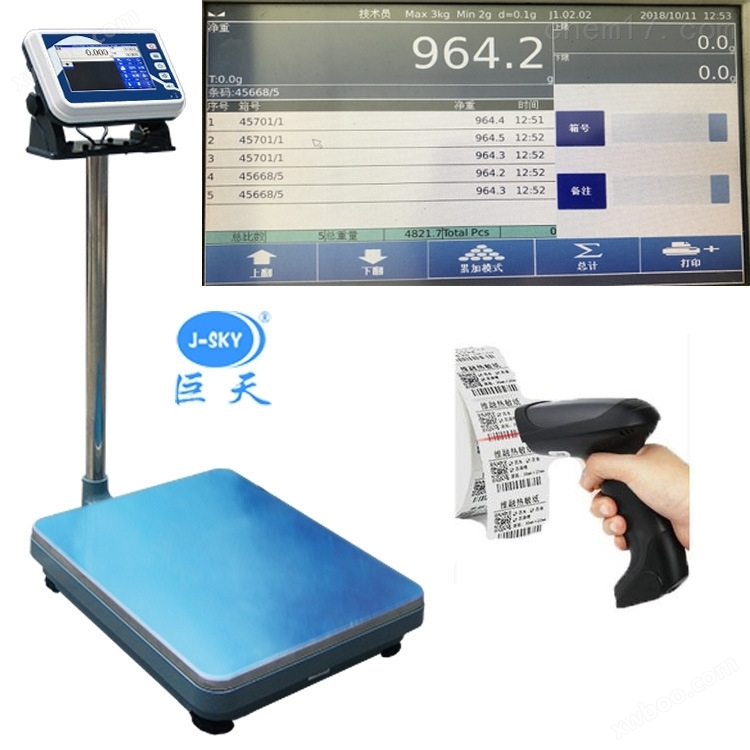
Intelligent electronic scale that automatically prints labels when weighing is qualified
NegotiableUpdate on 01/22
- Model
- Nature of the Manufacturer
- Producers
- Product Category
- Place of Origin
Overview
Intelligent electronic scale $r $n that automatically prints labels when weighing is qualified. 1. System introduction: $r $n4. High definition color touch screen and direct visual graphic operation provide a more customer friendly experience. Powerful functionality and strong scalability; An application that can meet multiple needs. #160; $r$n5、 Multiple intelligent designs: multiple weight detection value settings, weight detection and counting method settings, upper and lower limit warning settings, zero display range selection, backlight parameter settings, etc.
Product Details
Intelligent electronic scale that automatically prints labels when weighing is qualified


Scan QR code, store records, barcode label, print electronic scale
Intelligent electronic scale product description:
This system aims to use automatic weighing software technology to record product weighing information along with product attribute data in a database, store data, and export data for querying and summarizing all weighing history records. The fully automatic weighing recording system will automatically save the data to the computer.
(1). Capable of recording weighing information;
(2). Users can edit and customize the weighing data format according to their needs, and can first equip a printer;
(3). Support weighing with weighing scales/counting scales, automatically saving all weighing data to the computer;
(4). Automatically store data and export data at any time;
(5). Customizable development and customer defined functions
Intelligent electronic scale that automatically prints labels when weighing is qualified
Intelligent electronic scale product information:
Mainly describe product attributes, such as barcode scanning, product name, model, manufacturer, price, place of origin, etc; Manufacturer information: detailed description of the main suppliers/customers/agents/distributors, such as company name, location, and business category;
The system can automatically read the gross/net weight of the product; The weighing record information includes: product identification, quantity/weight, time and other information; After querying, the information obtained can be statistically analyzed as follows: total quantity/total weight/total amount; And export to an Excel spreadsheet;
Application areas: Factory/industry warehouse inbound and outbound management, packaging control and product tracking management, inventory packaging management, quality control management,The fully automatic weighing recording system is suitable for units that need to record product barcodes and weight information. It combines electronic scales and barcode printers to create a weighing recording system,It can save weighing data to an electronic scale and export data and weighing data to a computer. Serial number, variety number, date, time, weight, upper limit, qualified, lower limit, judgment result, administrator, product number, product name.
Features of intelligent electronic scale: Humanized high-definition touch color screen, simple and convenient operation. Steady, accurate, stable, and fast. Various heavy application software to meet the measurement needs of various industries. Visualize the direct view operation screen to avoid operational errors. Automatically generate weighing records and various management reports. Can connect to print labels, with multiple printing formats to choose from. Display: 7-inch touch screen (resolution 800 * 480); Key: 5 mechanical keys, user-friendly touch interface; Shell: ABS plastic; Power supply: AC adapter (12V/2.5A); Sales statistical analysis: Product/Customer/Operator PLU management; Language: Available in multiple languages; Equipped with: USB interface; USB: Can connect to computers, printers, keyboards, mice, USB drives, barcodesscanWaiting for external devices that can be used to update programs; Serial port: can connect external devices such as computers, printers, and large screens; Wired and wireless communication functions (WIFI) are optional.
WN-Q20S Intelligent Electronic Table Scale Specification:
model |
WN-Q20S-3003 |
WN-Q20S-3006 |
WN-Q20S-3010 |
WN-Q20S-3015 |
WN-Q20S-3030 |
|||
weighing |
3kg |
6kg |
10kg |
15kg |
30kg |
|||
verification scale interval |
1g |
2g |
5g |
5g |
10g |
|||
|
Display points Degree value |
A |
0.1g |
0.2g |
0.5g |
0.5g |
1g |
||
B |
0.2g |
0.5g |
1g |
1g |
2g |
|||
Scale pan size (mm) |
230*300 |
|||||||
FWN-B20S Intelligent Electronic Platform Scale Specification:
model |
FWN-B20S-30 |
FWN-B20S-60 |
FWN-B20S-150 |
FWN-B20S-300 |
FWN-B20S-600 |
||
weighing |
30kg |
60kg |
150kg |
300kg |
600kg |
||
verification scale interval |
10g |
20g |
50g |
100g |
200g |
||
|
Display points Degree value |
A |
2g |
5g |
10g |
20g |
50g |
|
B |
5g |
10g |
20g |
50g |
100g |
||
Scale pan size (mm) |
300x 400 |
400x 500 |
400x 500 |
400x 500 450x600 |
500x 600 |
||
1、 System Introduction:
1. This system can independently implement warehouse QR code inbound and outbound operations through computer operations.
2. Re code ordinary products and automatically generate corresponding QR codes, which are printed out through a label machine.
3. Ensure that each product has a QR code identifier, and then scan it through a scanner to achieve the inbound and outbound business of the product.
4. This version of the system is designed according to the characteristics of QR codes, providing the requirements for goods in and out of the warehouse. It has short learning time, easy operation, accurate data, saves manpower, and improves work efficiency. It is an ideal assistant for warehouse management.
3、 System module introduction:
1. Login interface: Determine whether you are a system * user. If you are not *, you will not be able to log in to the system. As shown in the diagram:
2. System main interface: Enter the correct username and password to display the system main interface, as shown in the figure:
3. Basic Information
(1) Storage location information settings: Provide options for adding, modifying, and deleting warehouse information. Provide quick categorization for basic products. As shown in the diagram:
(2) User information settings: Provide operator functions for the system. Administrators have the authority to add, modify, and delete. As shown in the diagram:
4. Product Information Settings
(1) Product information entry: Enter the basic information of the product based on its storage location. As shown in the diagram:
(2) Product management: Provides functions for querying, modifying, and deleting. As shown in the diagram:
5. Printing QR code labels
(1) Product labeling: Filter based on the date of product entry, storage location, and product name, and then print the desired QR code label after weighing. As shown in the diagram:
(2) Label reprinting: If the QR code label is damaged or blurry, you can reprint the label on this interface. As shown in the diagram:
(3) The rendering of the printed label, as shown in the diagram: (The layout can be adjusted according to the actual situation of the customer)
6. Inventory scanning: Scan the products that need to be stored and click execute to complete the inventory. As shown in the diagram:
If the scan is repeated, the system will prompt, as shown in the figure:
If scanning non inventory items, the system will prompt an error. As shown in the diagram:
After completing the barcode scanning of the product, click execute to automatically generate a new batch number. As shown in the diagram:
7. Inventory record query
(1) Search for data based on time and product name. As shown in the diagram:
(2) After entering the warehouse, the inventory query shows the effect. As shown in the diagram:
(3) Right click to view the QR code details, as shown in the figure:
8. Outbound scanning
Scan the products that need to be stored and click 'Execute' to complete the storage. As shown in the diagram:
Repeat scanning, the system will automatically make a judgment and prompt for repeated operations, as shown in the figure:
After scanning the outgoing goods, click the execute button to complete the operation. The system automatically updates the next batch number, as shown in the figure:
9. Outbound record query
(1) Search for data based on time and product name. As shown in the diagram:
(2) After outbound, the inventory query effect. As shown in the diagram:
(3) Right click to view the QR code details. As shown in the diagram:
4、 System Summary:
1. This version of the system has low investment costs and allows for quick familiarization. Suitable for industries with frequent personnel turnover, small product volume, and light weight, as a primary warehouse management alternative to paper-based operations.
2. If you have any other functional requirements, you can communicate with our business representative to provide you with a more suitable product.


Similar Product Recommend


