- Phone
-
Address
Building 1, International Entrepreneurship Park, No.2 Shangdi Information Road, Haidian District, Beijing
Product Categories
- metallurgical microscope
- Upright microscope series
- Digital Interactive Classroom
- Microscopic digital analysis system
- Polarizing microscope
- MetaMorph research grade imaging software
- Number machine
- Modular organization embedding system
- Multi functional enzyme-linked immunosorbent assay (ELISA) reader
- Dehydration machine
- Slicing machine
- Memmert oven
- High connotation imaging analysis system
- Memmert Environment Test Box
- Single function enzyme-linked immunosorbent assay (ELISA) reader
- Dyeing Machine
Beijing Yuechangxing Technology Co., Ltd
MetaMorph advanced image analysis software
NegotiableUpdate on 04/03
- Model
- Nature of the Manufacturer
- Producers
- Product Category
- Place of Origin
Overview
MetaMorph, as a widely recognized image analysis software both domestically and internationally, has powerful capabilities in biological image analysis, involving various aspects of cell biology image analysis.
Product Details
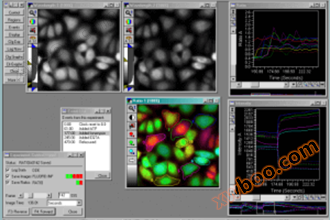
MetaMorph, as a widely recognized image analysis software both domestically and internationally, has powerful capabilities in biological image analysis, involving various aspects of cell biology image analysis. MetaMorph has a dedicated analysis module for various biological applications, which can instantly and automatically identify the required cells and structures with simple system settings, and obtain analysis results.

main features
●Supports multiple image formats and confocal microscope specific formats, including Zeiss LSM, Nikon C1 and ND2, Olympus TIFF and OIF, Leica LIF, and commonly used image formats such as TIFF, JPEG, BMP.
●The image overlay function supports the overlay of up to seven different channels of monochrome images, generating a 24 bit color image after overlay.
●The animation production function (Make movie) can convert sequence images into AVI or Quick time format movie files.
●Region measurement function, which can draw the interested partition graphics on the image and measure various parameters within the region, such as area/average fluorescence intensity Wait. If it is a sequence image, the software can directly draw a chart based on the measurement results, such as the average fluorescence intensity change chart per unit time.
●Integrated Morphology Analysis, which includes various morphological parameters such as intensity center/major and minor axes/angle/roundness/perimeter/linearity Wait, users can set parameter filters to filter objects outside the target.
●The macro recording function (Journal) allows users to record different hardware control sequences or image analysis steps as journals. By executing specific journals in the software, the software can complete the corresponding combination actions.
●Taskbar function, users can customize the button functions in the taskbar in the operation interface (such as opening a specific analysis window/executing a specific journal/opening another taskbar, etc.).
●The above analysis functions all include adaptive background subtraction technology, which can automatically calculate the background fluorescence of each cell and eliminate its impact on cell recognition and analysis, accurately identifying every cell and structure in uneven backgrounds.
application area
Mainly used for analyzing images captured by microscopes or other imaging devices.
Experimental examples
Image analysis functions, such as:
1. Fluorescence co localization analysis
2. Trajectory analysis of motor cells
3. Image stitching
4. Convert time-series images into dynamic videos, etc.


